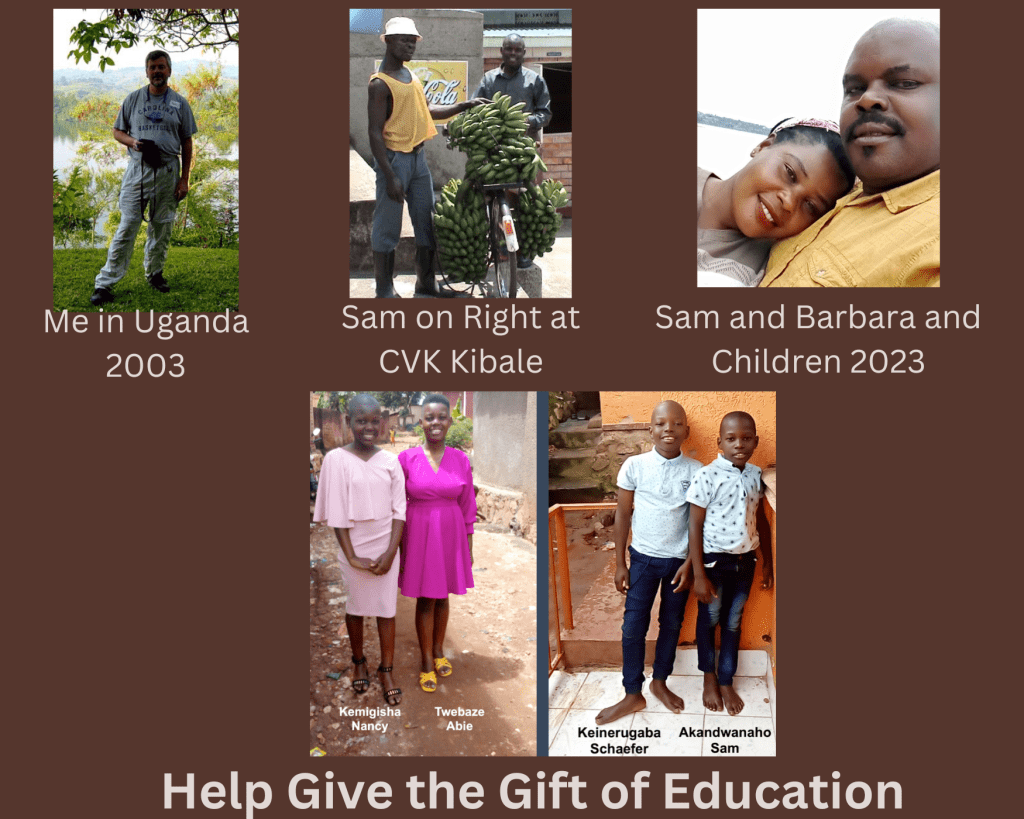
I met Sam in 2003 when I was lucky enough to work in Uganda as part of the UNITE Project sponsored by the NC Zoo. It profoundly changed my life and how I see the world. When I was active in the UNITE Project we raised money to build schools by selling lunches and bracelets at school. Some parents even held garage sales. At one point I tried to start a Do Without It campaign. The idea was to resist purchasing the “wants” but instead donate those funds to the UNITE Project so we could provide the “needs” of our friends in Uganda.
After 20 years, Sam now has a family that needs help to stay in school. You can read more at the GoFund me page I set up to raise the funds to keep these children in school through Senior school. I calculate it will be about $17,300.00 which seems like a lot until you think about how many lives this can change.
Please take a moment and read about the campaign and if you are so inclined, share it wide and far to make their dreams come true. https://gofund.me/978040bb
Listen to the story in this YouTube video which is also included in the campaign.
Teams of students have been working on ideating solutions to help overcome the problem of gender equality in STEM-related fields. Classes started by watching the documentary “Picture a Scientist.” We watched the entire film at the NOVA PBS site. Below is the trailer for the video, which I highly recommend as the introduction to a project that takes on this issue.
After watching and discussing the film, students began working on the phenomenal website Design for Change which allows teachers and students to use their Design Thinking routines of Feeling, Imagine, Do, and Share or FIDS. The site is free to use, but I suggest you donate to them as their resources are wonderful and support the thinking and active learning concepts needed. Besides, everything is customizable, so I added these resources that I wanted to use to lead students in their thinking.
We started with six teams from the two classes but when one class realized their project idea was so similar, the teams voted to unite into one team. Noting the dangers and advantages of large teams, they persevered and organized themselves to make an impressive project. Websites were the most popular project type although one team is creating a Gender Equity AR game in CoSpaces Edu.
Below are their projects.
jane is D Period Team Galpha – Harrison, Elle, Grace, Kwame, Charles, Larry, Aidan, AJ, Charlotte, Noah, and Cana.
Beneath the Ice is E Period Team Beta – Jack, Anne, Riley & August
DA Gender Equity is E Period Team Alpha – Lylah, Kai, Kendall, Chris, and Caleb
Artemis is E Period Team Gamma – Nachi, Cameron, Diego, and Solomon.
I was reluctant to do this unit on STEM Gender Equity using Design for Change as I thought it could be controversial or edgier than what I was up for. It is not that I have not taken on the issue of gender equity before but I was thinking there are 16 other Sustainable Development Goals, why not do one that is not as loaded with all sorts of cultural and societal issues. I mean who is against clean water? I was unsettled with my decision not to do the unit and after Dr. Jennifer Bryan came to school to discuss Sex, Gender and Sexuality I felt compelled to do the unit. I have the ability to do amazing things in STEAM by Design so not doing a unit on both Design Thinking and Gender Equity seemed like a real copout. I must say the students have done a remarkable job with this unit and for the most part been really engaged, thoughtful, open to opposing viewpoints, and having conversations and actions that mattered even when there were strong feelings. No student in this class will be untouched by the unit in the future as we are all changed by the work we did.
For the first time in about 15 years, I am not conducting teacher workshops or doing summer camps with kids. I am excited and nostalgic at the same time. Before I leave I wanted to get some things ready for STEAM by Design which will have 4 sections plus a new trimester course called CS Explorations. A long-time colleague will be teaching this class while I will split the STEAM by Design teaching with a person who was recently hired. This is the largest expansion of computer science courses in the history of my school and for sure in the middle school. Below are a couple of videos I made for how we plan to assess and encourage students to own their learning.
This text is from the new MS Computer Science site I built for the new courses.
We will be using a Depth of Knowledge model to align better with proficiency-based learning and computational thinking.
The main component of all MS Computer Science courses will be the creation of a reflective portfolio by students with examples of work products including a narrative paragraph on the learning process.
Those who do the work, own the learning. STEAM by Design will require students to own their learning and document the learning. This video shows how we hope to accomplish this goal.
View a presentation on how students can own their learning in STEAM by Design.
Design Thinking meets Computational Thinking in STEAM by Design.
View a presentationon how students will use Computational and Design Thinking in STEAM by Design.
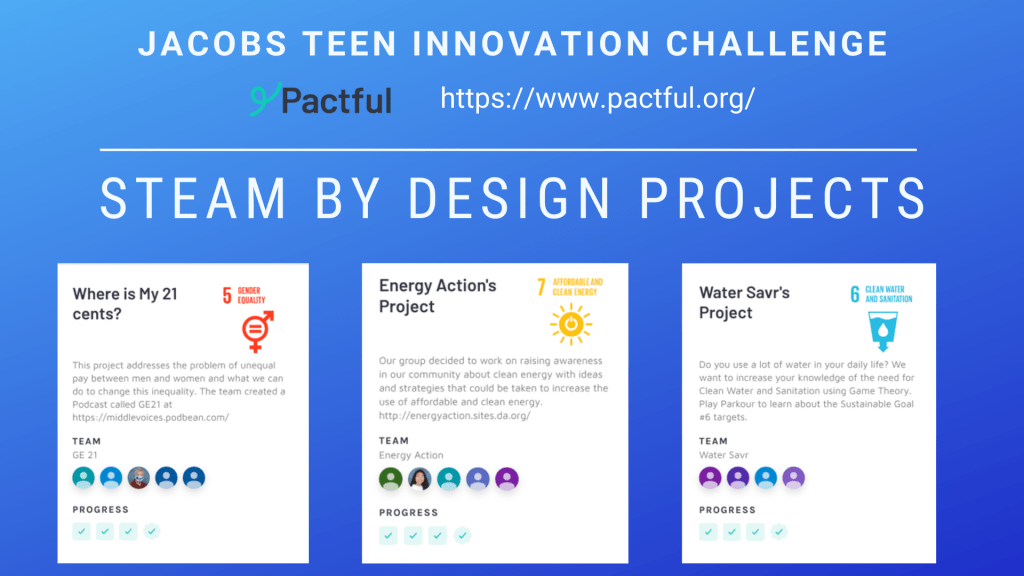
Our 3 teams have successfully submitted their 3 pitch videos to Pactful today as part of the Jacobs Teen Innovation Challenge. The teams worked hard to develop product ideas for the Sustainable Development Goals of #5 Gender Equality, #6 Affordable and Clean Energy, and #7 Clean Water and Sanitation. The teams have worked on their solutions for the last few months and went through the design thinking processes to develop the solution they are pitching. Read more about Pactful at this link https://www.pactful.org/ the UN’s Sustainable Development Goals at https://www.globalgoals.org/
Each year the STEAM by Design students do some sort of challenge utilizing Design Thinking and the skills acquired during the year. I was looking for something this year that would allow us to connect the 17 Sustainable Development Goals (SDGs) to a challenge we could work on. I came across Pactful as I was reading more about ways to connect the SDGs. I loved the idea and concept laid out and knew I wanted to participate so I signed us up.
Pactful is a patent pending social good innovation curriculum and tool used globally by teenagers and teachers who want to build a better world. Pactful’s entirely virtual solution inspires students to actively engage in the design thinking process and develop an innovator’s mindset to create solutions aligned to the United Nations Sustainable Development Goals.
STEAM by Design students decided what SDG they wanted to work and I formed teams based on their choices. I did have to assign some students to teams due to COVID-19 remote learning challenges. We have 3 teams working on Gender Equality, Clean Water and Sanitation, and Affordable and Clean Energy.
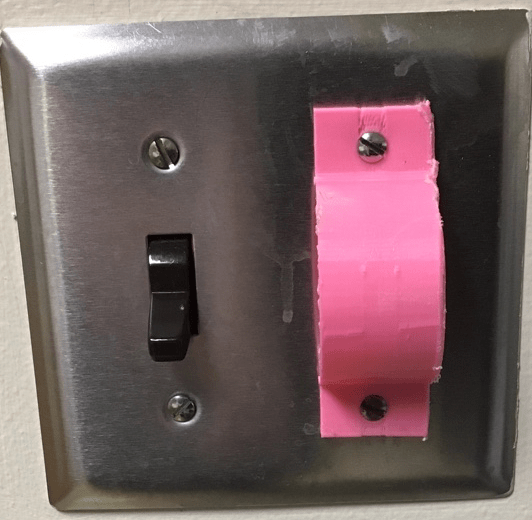
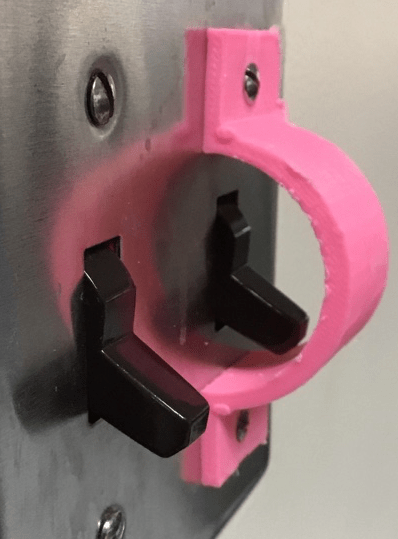
We have only started to work through the 4 phases of Design Thinking used by Pactful. Stay tuned as we progress to having our Pitch ready in May. I have been holding the reins on some teams as the Understand element is easy to jump over as the ideas and solutions appear fast and furious given these students designed the Sani Savr and Watt Savr already this year. The Watt Savr was designed at the request of a teacher who wanted to not have both light switches turned on whenever someone turned on the lights. The Watt Savr solves this by covering one of the switches so when the user swipes they must intentionally turn on the second switch.
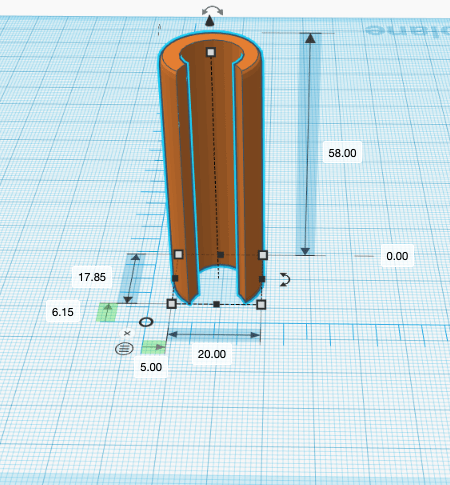
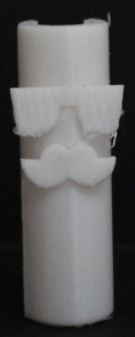
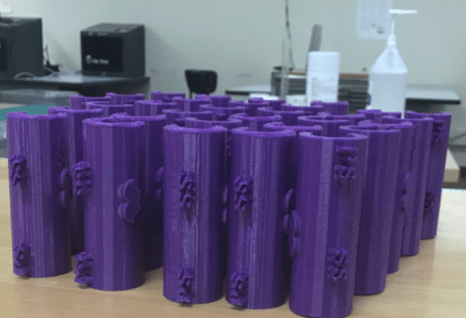
We tested different sized Sani Savrs and settled on sizes in the 55 – 60 mm as these models will dispense approximately 2.4 to 3.4 mL. Considering that not all hands are the same size, we recommend using a 55mm for larger hands and a 60mm for smaller hands.
Dispensed Amount Calculations and Possible Savings
Amount Dispensed mL*
# of Squirts per Bottle*
Increase in # of Squirts*
Savings Per Jug*
No Sani Savr
23.3mL
162
0
$0.00
55mm
3.4 mL
1112
950
$9.50
60mm
2.4 mL
1800
1638
$16.38
All measurements are approximate due to the differences in the pressure applied to the pump*.
Grant visited DA years ago when he was researching his book #EdJourney. He is a deep thinker and author who I respect a lot. Many of you may have his books or read his blog. Some of you, may not know him at all. I am also a big fan of the Education Reimagined site and the work they do.
I believe we must learn from what has worked well during our forced hiatus from what we thought of as normal school routines for both ourselves and our students. I do not know what these things all are, but I do know that how we use our time is first in my list. The tools we have been forced to use will either have advanced what we normally have done, maintained some semblance of what we used to do, or gave us the illusion that we are “teaching” and students are “learning.” This is not to say your efforts, which are huge, is for naught or less than, it is to say that we have jumped into a breach that forced us all to make changes we may have been able to delay or discount and stick with what we knew and felt most comfortable with doing. I think we all can agree that comfort is gone.
So I encourage us to think about what 2 or 3 things you want to keep from our new normal and what 2 or 3 things do you never want to do again. I reworded an old saying a few years ago that I think applies here: “This sh*t is too old for me!” What is too old for us and our students now?
Have a great weekend everyone and take time for yourself by turning off your computer and using the Do Not Disturb settings where needed. This is not a drill or a sprint we are in.
Will the COVID-19 Crisis Really Change Education?
Let’s build a foundation that supports great learning in today’s environment, with tomorrow in mind, and throw out the baggage that no longer is most effective for the students you serve.
The Schaefer Polk Computational Thinking Camps are part of the Durham Academy Summer Program. You can learn more at the website we use for our camps.
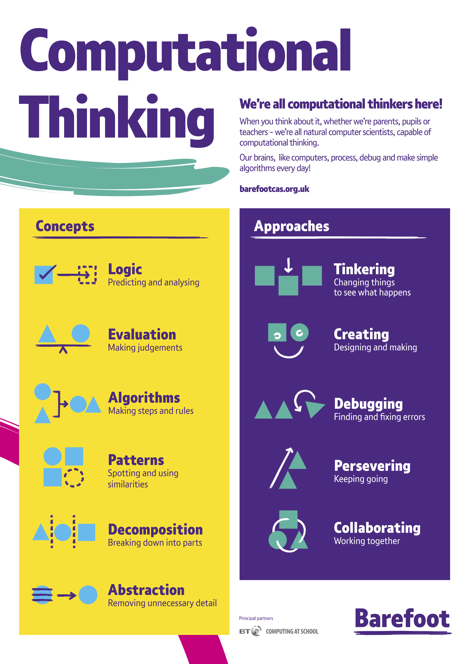
What is Computational Thinking? The image from Barefoot Computing does a great job of highlighting what we consider to be Computational Thinking. Our camps feature many of the concepts and approaches shown in the graphic. We spend a lot of time working with verbs: Develop, Adjust, Participate, Adapt, and Adhere. Our camps allow campers to learn at their pace. Campers have access to the tools after camps for further learning opportunities.
New this year will be camps for just Middle School Aged 11 – 15 campers. Our camps will be held in the Upper School’s Hock Center and Learning Commons.
Camps Information:
3D Design and Printing: Week 5: July 6 -10 AM and repeated Week 6: July 13 – 17 AM.
Storytelling with CS First and Scratch Programming Week 5: July 6 -10 PM
Game Design with Google CS First and Scratch Programming Week 6: July 13 – 17 PM
3D Design and Printing: Week 6: July 13 – 17 AM. (Same as week 5 camp)
Build and Explore Virtual Reality – New for 2020 Week 7: July 20-24 – AM
Donovan and I would love to learn with you this summer.
Thanks to the efforts of students, coaches, mentors, and parents DA had a pretty successful season. In North Carolina over 500 teams compete in Regional Tournaments across the state hoping to qualify for the 120 spaces in the State Tournament. This year DA was fortunate to have 2 teams qualify for the State Tournament and have a great showing with their Robot Missions, Innovative Projects, and Core Value demonstration.
Robonators #31861: Team members were Anand J., Kent L., Kwame M-B, William B., and Gil M. The team was coached by Charith Fernando, Jay Swaminathan, and David Harpole.
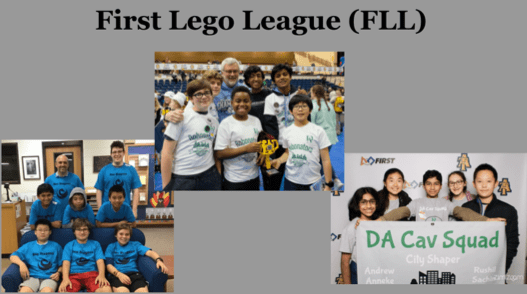
DA Cav Squad #17134: Team members were Andrew Y., Shreya R., Sachin A., Anneke S., Lexie C., and Rushil R. The team was coached by Skyler Castelao, Ramana Reddy, and Gautam Aggarwal.
Neo Dragons #25598: Team members were Matthew G., Chris H., Phin B., Ansh D., Andy S., and Atakan S. The team was coached by Asher Fields, Fabrice Fortin, Gokhan Sevik, and myself.
The DA Cav Squad won the 2nd place award for the Inspiration award which celebrates a team that is empowered by their FIRST LEGO League experience and displays extraordinary enthusiasm and spirit.
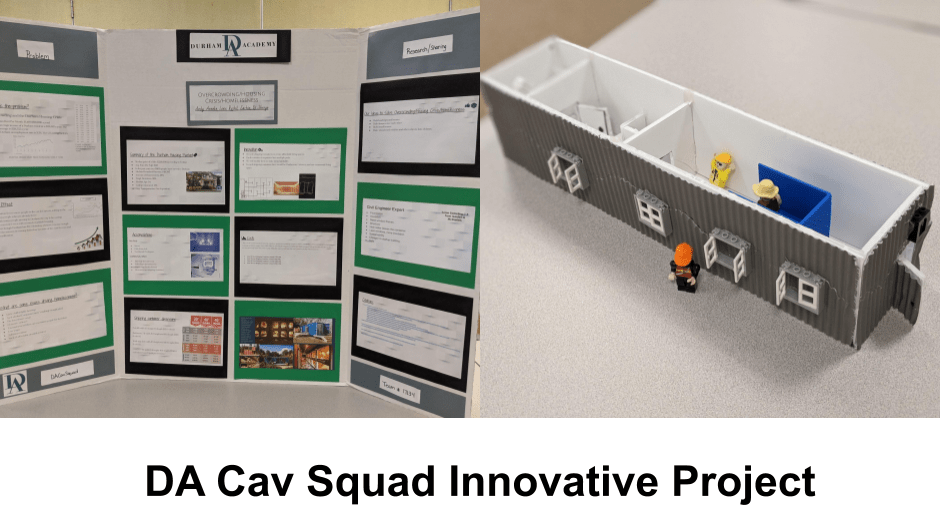
The DA Cav Squad’s Innovative project was focused on using recycled shipping containers for homeless people in Durham. The team devised a way to create 6 sleeping pods with a bathroom that could easily be deployed around the city as needed.
The Robonators won 1st place for the Presentation award, which recognizes a team that effectively communicates the problem they have identified and their proposed solution to both the judges and other potential supporters.
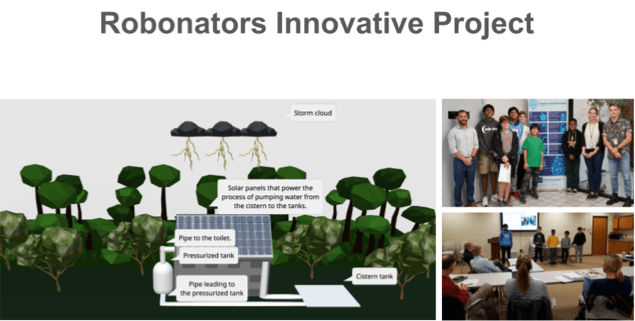
The Robonators Innovative project was focused on preventing the waste of freshwater. One way to help is to increase the use of wastewater for flushing toilets. The team designed the Eco Potty which uses solar power, rainwater collection, and a cistern to use gray water for all flushing needs on our new campus. The team presented to Presentation to Durham Water Committee and the DA Building Committee about how to integrate their designs into the new campus buildings.
I have meant to write about our 3 First Lego League Teams (FLL) for a few weeks as we have finished up competing in the Regional Tournaments. Out of the 3 DA teams, 2 have advanced to the State Tournament on January 18th, 2020. The competition was more intense this year with more teams and drastic changes to how the robot mission runs are scored. I want to thank all of the students and parents who support the massive undertaking by coaching, supporting, encouraging, or driving to practices and tournaments. FLL meets after school and on weekends to get ready for the tournaments.
• Identify a problem with a building or public space in your community.
• Design a solution.
• Share your solution with others and then refine it.
For the Robot Game, teams had to:
• Identify Missions to solve.
• Design, build and program a LEGO Robot to complete the Missions.
• Test and refine your program and design.
Team Robots have to navigate, capture, transport, activate, or deliver objects. Teams only have 21⁄2 minutes to complete as many Missions as possible.
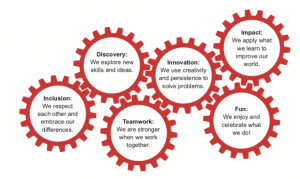
Throughout the season, teams develop and are guided by the FIRST ® Core Values We express the FIRST ® philosophies of Gracious Professionalism® and Coopertition® through our FIRST Core Values.